The Fasset Card is Now Live. Spend Instantly.

Your Fasset Card gives you instant spending power backed by crypto,
online, in-store, and worldwide.
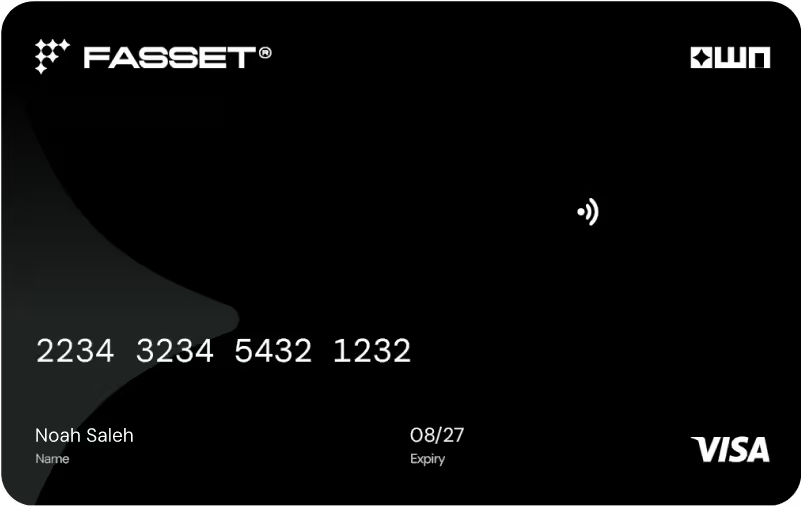
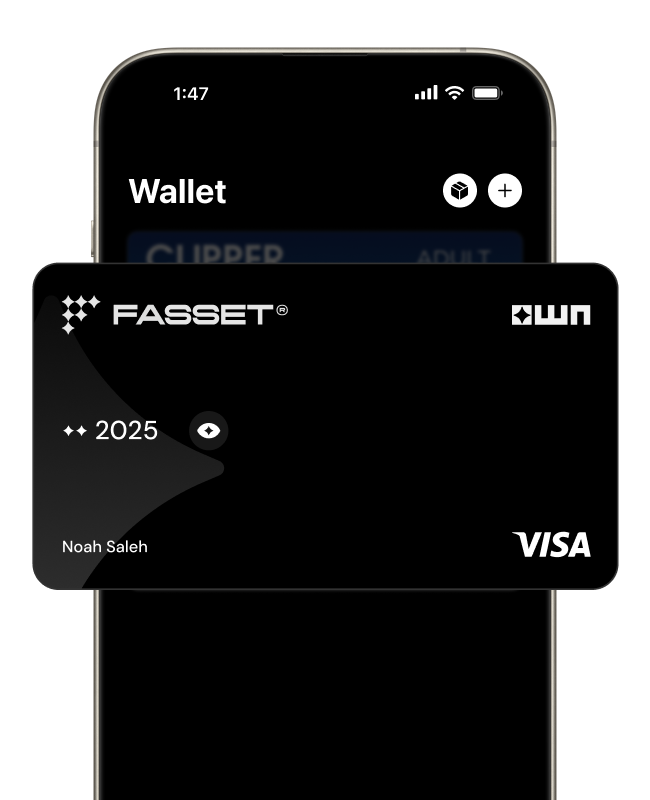
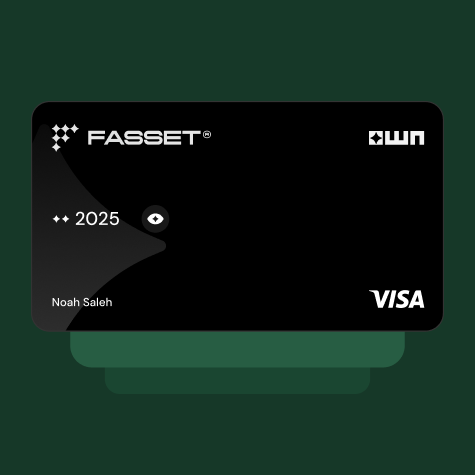
Black credit card with FASSET and WN logos, card number 2234 3234 5432 1232, cardholder name Noah Saleh, expiry date 08/27, and Visa logo.

Benefits

Pay online or in-store with quick, contactless tap

Add to Apple Pay and Google Pay for instant checkout

Use it anywhere Visa is accepted, locally and abroad

Accepted at millions of shops, apps, and websites worldwide

Earn OWN Points every time you spend

Zero transaction fee during the launch promo period

How it works

Top up with
USDT

Add to Apple Pay /
Google Pay

Spend worldwide

Features

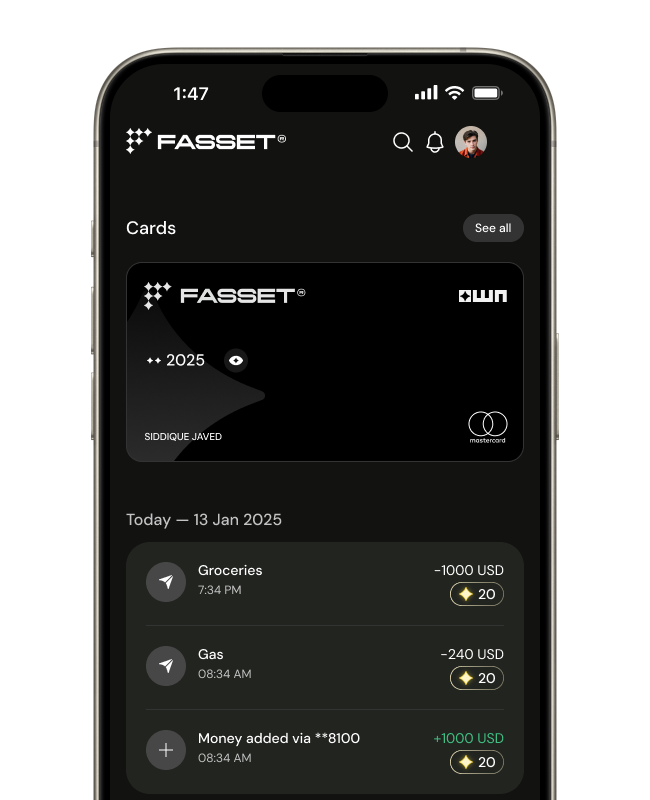
Earn OWN Points every time you spend and unlock future perks, boosters, and exclusive rewards.

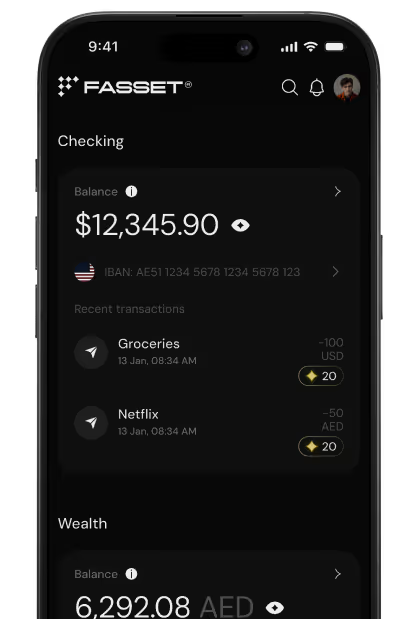
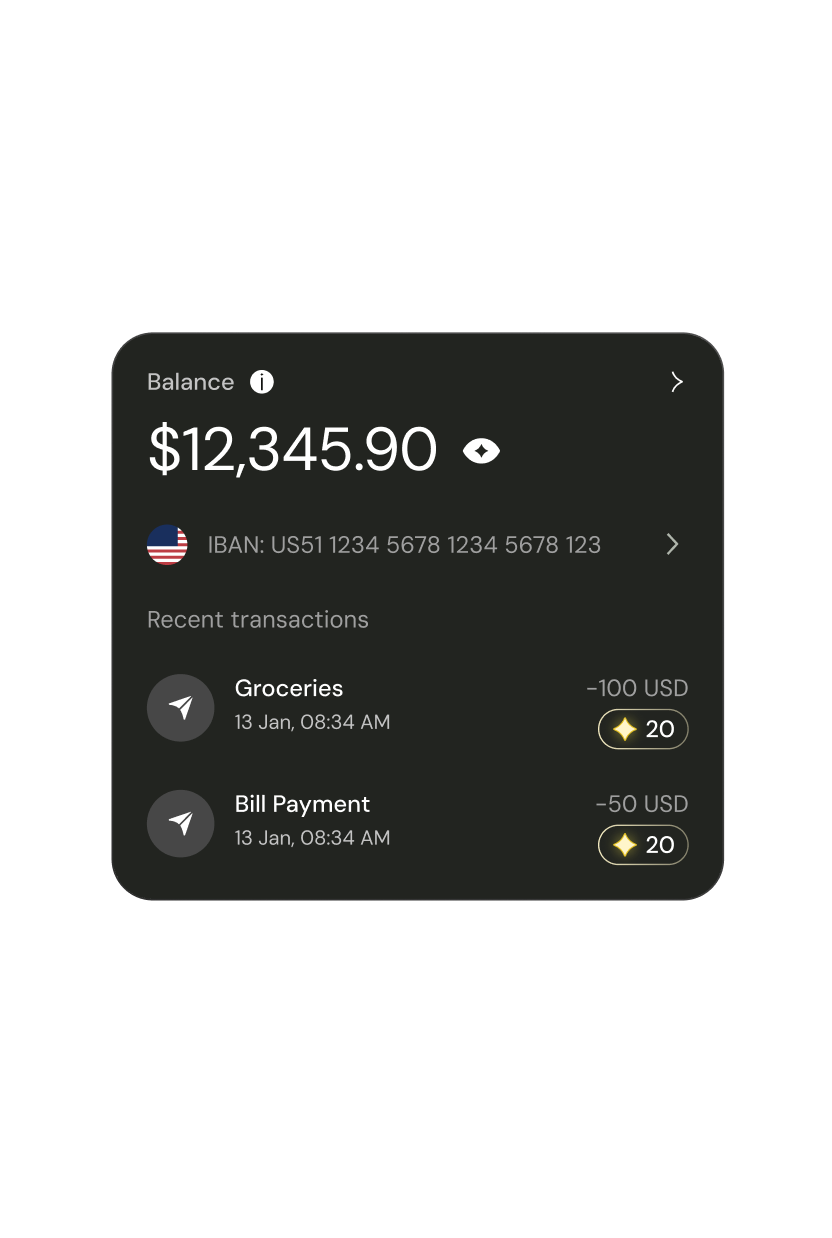
Mobile banking app screen showing checking account balance of $12,345.90 with recent transactions for Groceries and Netflix, each earning 20 reward points.Bank account balance displaying $12,345.90 with recent transactions for groceries and bill payment each dated 13 Jan, 08:34 AM, showing amounts of -100 USD and -50 USD with 20 rewards points each.

Secure by design.

Visa-powered protection

End-to-end encryption

Real-time fraud monitoring

Instant freeze/unfreeze

FAQs

What is the Fasset Virtual Card?

The Fasset Virtual Card is a prepaid digital card which you can top up in USDT, which then lets you spend your crypto balance seamlessly, just like a regular card, wherever the card network, VISA, is accepted. Card currency is USD. It is “virtual,” meaning there is no physical plastic card (Physical card is targeted for launch tentatively in Q1’26)

What fees apply?

In the initial promo phase, no transaction fee will be applied to the user.

Fee Type
Amount / Rate
Description
One-time card activation / issuance fee
9.99 USDT
Charged when you first activate or issue the virtual card.
Card Issuance fee: 9.99 USDT.
Per-transaction fee
Free
No transaction fee will be applied in the promo phase.
Card top-up fee
Free
No fee is charged when users top-up their card.
Withdrawal (back to Fasset wallet)
Free
When you withdraw card balance, no fee is charged.
Card Cancellation Fee
Free
This fee, if applicable, is applied when user cancels his card.
What are the card limits?
Limit Type
Value
Notes
Daily spending limit
2,000 USD
This is the maximum you can spend (purchases) per day.
(This may be increased over time.)
Top-up / withdrawal (per transaction)
Minimum 1 USDT – Maximum 5,000 USDT
You cannot top up or withdraw less than 1 USDT or more than 5,000 USDT in a single transaction.
How do I top up / load the card?
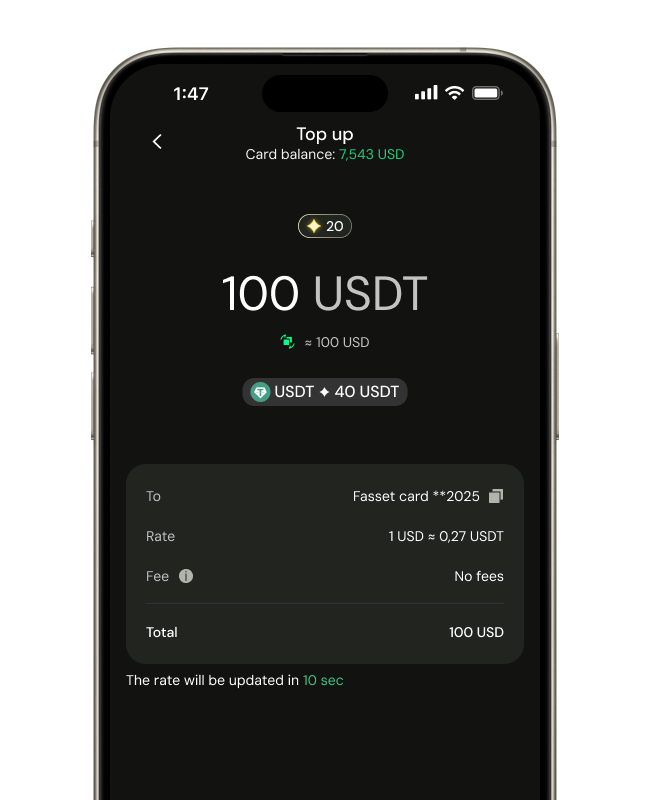
  • In the Fasset app, navigate to Pay → Virtual Card → Top up
  • Enter the amount (between 1 and 5,000 USDT) and confirm.
  • The funds will immediately reflect in your virtual card balance.
  • You can fund using your Fasset wallet (in USDT).
  • If the top-up fails, check that your wallet has sufficient balance and retry.
How do I make payments (online or in-store)?
  • For online payments, enter your virtual card number, expiry date, and CVV as usual.
  • For in-store / point-of-sale, you can add the virtual card to Apple Pay or Google Pay, then tap on the machine or use contactless via mobile wallet.
How do I make payments (online or in-store)?

For Apple Pay / iPhone:

  1. Open the Fasset mobile app and go to Card → Settings → Add to Apple Wallet (or “Add to Apple Pay”).
  2. The system will launch Apple Wallet. Choose “Add Card.”
  3. Verify via SMS / app prompt / biometric.
  4. Once verified, your virtual card appears in Apple Wallet, and you can use it in-store at NFC terminals.

For Google Pay / Android:

  1. In the Fasset app, go to Card → Settings → Add to Google Pay (or “Add to Wallet”).
  2. The system opens Google Pay, select “Add Card.”
  3. Complete verification (OTP / biometric / PIN).
  4. Once confirmed, the card is ready to use via Google Pay in-store or online.

Tips / reminders:

  • Ensure your device has updated iOS / Android version and supports NFC / mobile payments.
  • In regions where Apple Pay / Google Pay are restricted, adding might not be allowed.
  • The card must be active and funded when adding, it may not permit additions with zero balance.
Having trouble adding your card to Apple pay wallet?

If you tap the + button in Apple Wallet and see the message:

Add Cards to Wallet To add cards, keys, tickets and passes to Wallet, look for the Add to Wallet button in apps, emails and websites.

and you do NOT see “Add Debit/Credit Card”. this means your iPhone is currently set to a region where Apple Pay is not supported.
When Apple Pay is unavailable in your region, Apple hides the manual card-adding option entirely.

This behavior is controlled by Apple, not Fasset.

✔️ How to Fix It (Two Options)

1️⃣ Change Your Apple ID Country to an Apple Pay–Supported Region

If your Apple ID is set to a non-supported country (e.g., Pakistan, India, Bangladesh), you will only see the informational popup above.

Fix:

  1. Go to Settings → Apple ID → Media & Purchases → View Account
  2. Tap Country/Region
  3. Select a supported region (United Arab Emirates, USA, UK, etc.)
  4. Accept terms and enter any valid address

This will make the “Add Debit/Credit Card” option reappear.

2️⃣ Change Your Device Region

Even with a supported Apple ID, your device region may still block Apple Pay.

Fix:

  1. Go to Settings → General → Language & Region
  2. Set Region = United Arab Emirates (or USA/UK)
  3. Restart your iPhone
  4. Open Wallet → Tap +

You should now see the manual Add Debit/Credit Card screen instead of the popup.

💡 Note

Once the Fasset Card is successfully added to Apple Wallet, you may switch your region back if preferred, Apple Pay will continue working normally.

How do I use my Fasset Virtual Card with Apple Watch or Samsung Pay?

🕒 For Apple Watch:

Once your virtual card is added to Apple Pay, you can also use it directly from your Apple Watch for contactless payments.

Steps:

  1. On your iPhone, open the Watch app.
  2. Tap Wallet & Apple Pay.
  3. Tap Add Card, then follow the on-screen steps (you can select the same Fasset Virtual Card already in your iPhone Wallet).
  4. Once added, double-click the side button on your Apple Watch to bring up the card.
  5. Hold your watch near the contactless reader to pay.
  6. You’ll feel a gentle tap or hear a beep once the transaction is complete.

💡 Make sure your watch has a passcode set up, Apple Pay won’t work without it.

📱 For Samsung Pay (Android devices):

You can also use your Fasset Virtual Card with Samsung Pay if your device supports it and your region allows Samsung Pay usage.

Steps:

  1. Open the Samsung Wallet / Samsung Pay app on your phone.
  2. Tap Add Card → Add credit/debit card.
  3. Enter your Fasset Virtual Card details manually (number, expiry, CVV).
  4. Verify your card (via SMS or Fasset app).
  5. Once confirmed, you can pay by unlocking your phone, swiping up from the bottom of the screen, and holding your device near the contactless terminal.

💡 If Samsung Pay is not available in your country, you may need to change your region settings under Settings → General Management → Language and Input → Region to a supported country (e.g., UAE, UK, US).

🔐 Samsung Pay also requires your device to have NFC enabled and a screen lock (PIN, pattern, or biometric).

What happens if I cancel or close the card?
  • You can cancel the virtual card at any time via the Fasset app (Card → Settings → Cancel Card).
  • The remaining card balance (after any pending transactions settle) will be returned to your Fasset wallet in USDT.
  • There is no fee on cancelation but fee may be applied on cancelation in the future.
  • Once canceled, the virtual card number is invalid and cannot be used.
How can I view card details (number, CVV, etc.)?
  • In the Fasset app, go to Pay → your virtual card view.
  • Press the “eye” (visibility) icon to reveal card details (number, expiry, CVV).
  • For security, the app will ask for face / biometric / PIN verification before showing the details.
Is there a physical version of the card (plastic)?
  • At launch, we currently support only a virtual version.
  • Work is in progress to launch the Physical card and will be available very soon.
Does the card expire? / What about renewal?
  • The virtual card carries an expiry date (e.g. after a few years).
  • When nearing expiry, the app will notify you to renew or reissue.
  • At renewal, remaining balance carries over; any reissuance fees will be communicated.
What if a transaction is declined or fails?

Possible reasons include:

  • Insufficient card balance
  • Exceeded daily spending limit
  • Merchant does not accept the card network
  • Country is not supported.
  • The transaction is in a currency where conversion or FX is blocked
  • Card is locked or canceled
  • Invalid billing address or CVV mismatch
  • Unusual activity triggering security block

If your transaction fails, check balance, limits, and correctness of card details. You can contact support for assistance, and the app may let you retry.

What about refunds / reversals?
  • If a merchant issues a refund, the funds will be returned to your virtual card balance (in USD).
  • The timeline for the refund depends on merchant / network, usually 10-30 business days (or possibly more, per merchant).
  • Once refunded, you can continue to use or withdraw those funds.
How secure is the virtual card?
  • Card number, CVV and expiry are hidden by default and only revealed after authentication (face / PIN / biometric).
  • You can freeze the virtual card temporarily from the app if you suspect misuse.
  • All transactions are encrypted and follow standard network security protocols.
  • We monitor for suspicious transactions and may pause the card pending verification.
Can multiple virtual cards be created / used?
  • Currently, each user can have one virtual card.
  • Future updates may allow multiple card issuance (e.g. for budgeting or separation of spend categories).
  • Any additional cards would be subject to activation / issuance fees and abide by the same limits and rules.
Can I use the card for recurring / subscription payments?

Yes, as long as the merchant supports the card network and you maintain sufficient balance and valid details (expiry, CVV). Recurring billing in foreign currencies will also incur FX fees if applicable.

What happens when I reach the daily limit?
  • Once you hit the 2,000 USD daily spending cap, further transactions that day will be declined.
  • You must wait until the next calendar day (UTC or local) to resume spending.
  • If your usage grows or you're a higher-tier user, you may apply or be upgraded to higher limits.
Where can I see transaction history and statements?
  • In the Fasset app, go to Pay → Recent Transactions
  • You will see a breakdown: merchant name, date/time, amount, and currency.
  • Pending / authorization transactions may appear first and later settle.
Which countries are allowed/restricted for card issuance/spending?

Countries Eligible for Card Issuance

Fasset can currently issue virtual cards to residents of the following countries and territories, in accordance with partner and network licensing:

Asia-Pacific
Australia • Bangladesh • Hong Kong • Japan • Malaysia • New Zealand • Philippines • Singapore • Pakistan

Africa & Middle East (CEMEA)
Egypt • Ghana • Kenya • Morocco • South Africa • Uganda • Zambia • Côte d’Ivoire • Senegal

Americas & Caribbean
Antigua & Barbuda • Bahamas • Barbados • Belize • Cayman Islands • Costa Rica • Dominican Republic • El Salvador • Grenada • Guatemala • Honduras • Mexico • Panama • Saint Kitts and Nevis • Saint Lucia • Saint Vincent and the Grenadines • Trinidad & Tobago • Turks & Caicos Islands

Countries Where the Card Cannot Be Issued

Due to international sanctions and compliance restrictions, the Fasset Virtual Card cannot be issued to residents of:

Russia • Belarus • Venezuela • Cuba • Iran • Syria • North Korea • Ukraine • Turkey • Israel • Mainland China • India • Vietnam • Nepal • Iraq • Argentina • Bolivia • Brazil • Chile • Colombia • Ecuador • Guyana • Paraguay • Peru • Suriname • Uruguay • Venezuela • Nigeria • UAE • Bahrain • KSA • Qatar • Oman • Kuwait • Indonesia

Countries Where Card Spending Is Blocked

Transactions using the Fasset Virtual Card are not permitted in the following countries or regions:

Syria • Iran • Cuba • North Korea • Russia • Ukraine • Venezuela

🔁 Important Notes

  • These lists are maintained in line with regulatory, network, and partner policies.
  • New countries are periodically added/removed as licensing expands (most recently Bangladesh, Malaysia, Egypt, Morocco, Senegal, Côte d’Ivoire, Uganda, and Zambia).
  • Always refer to the latest version in the Fasset app or Help Center before applying for or using your card internationally.

Fasset App Icon

Get Your Fasset Card Today

Your Fasset Card gives you instant spending power backed by crypto,
online, in-store, and worldwide.